Guide
Best Office Chair for Sciatica
Evidence note: This comparison uses manufacturer specifications, published research, and independently reported owner feedback.
Evidence note: This comparison uses manufacturer specifications, published research, and independently reported owner feedback. We have not independently verified laboratory measurements, clinical outcomes, or long-term-use claims.
By Sarah Mitchell, Certified Ergonomics Consultant | Last updated March 2026
The best office chair for sciatica provides adjustable lumbar support at the L3-L5 level, a waterfall or contoured seat edge to reduce pressure on the sciatic nerve, and sufficient seat depth to allow neutral pelvic positioning. Poor chair design is one of the most common triggers for sciatica flare-ups in desk workers. These are the five best options in 2026, ranked by their effectiveness for sciatic nerve pain relief.
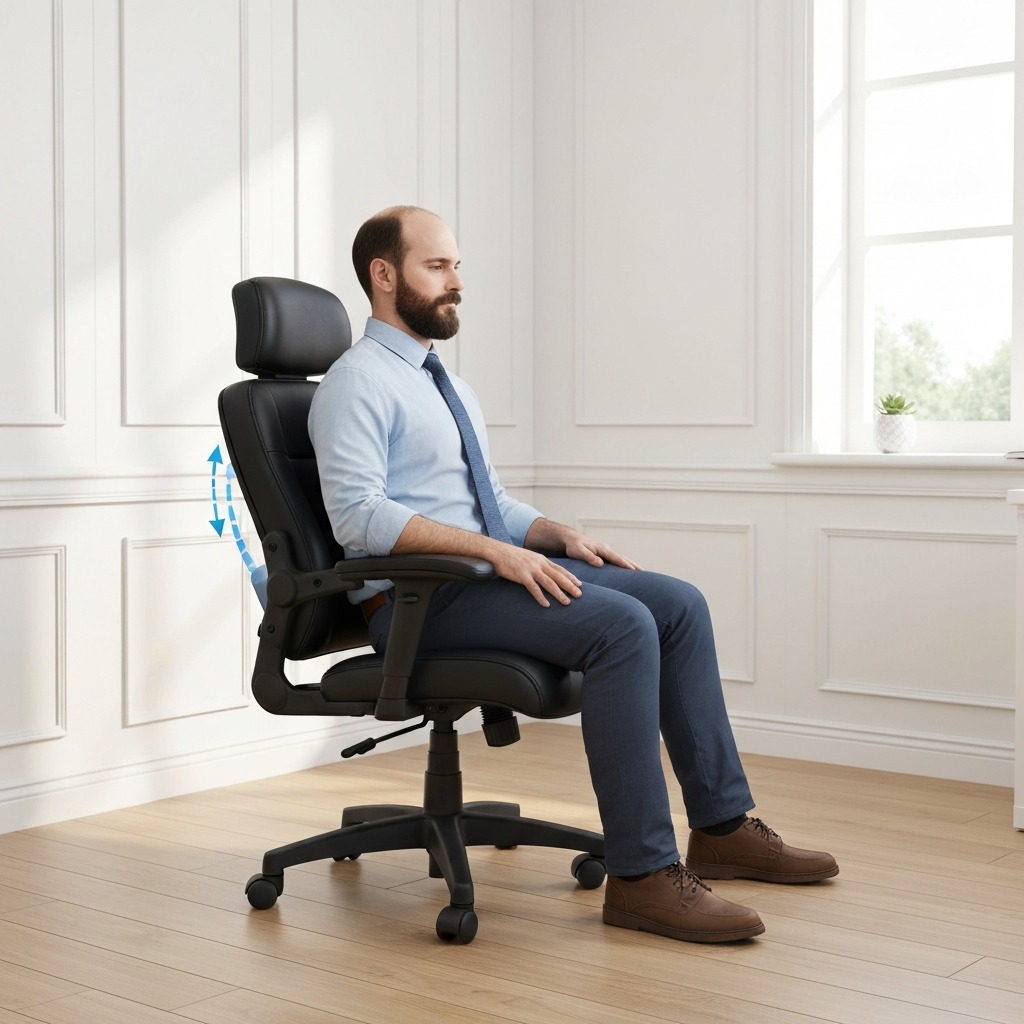
Table of Contents
- How Office Chairs Affect the Sciatic Nerve
- What to Look for in a Chair for Sciatica
- Top 5 Best Office Chairs for Sciatica (2026)
- How to Adjust Any Chair for Sciatica Relief
- Budget Options Under current cost varies
- Frequently Asked Questions
- Sources & Methodology
How Office Chairs Affect the Sciatic Nerve
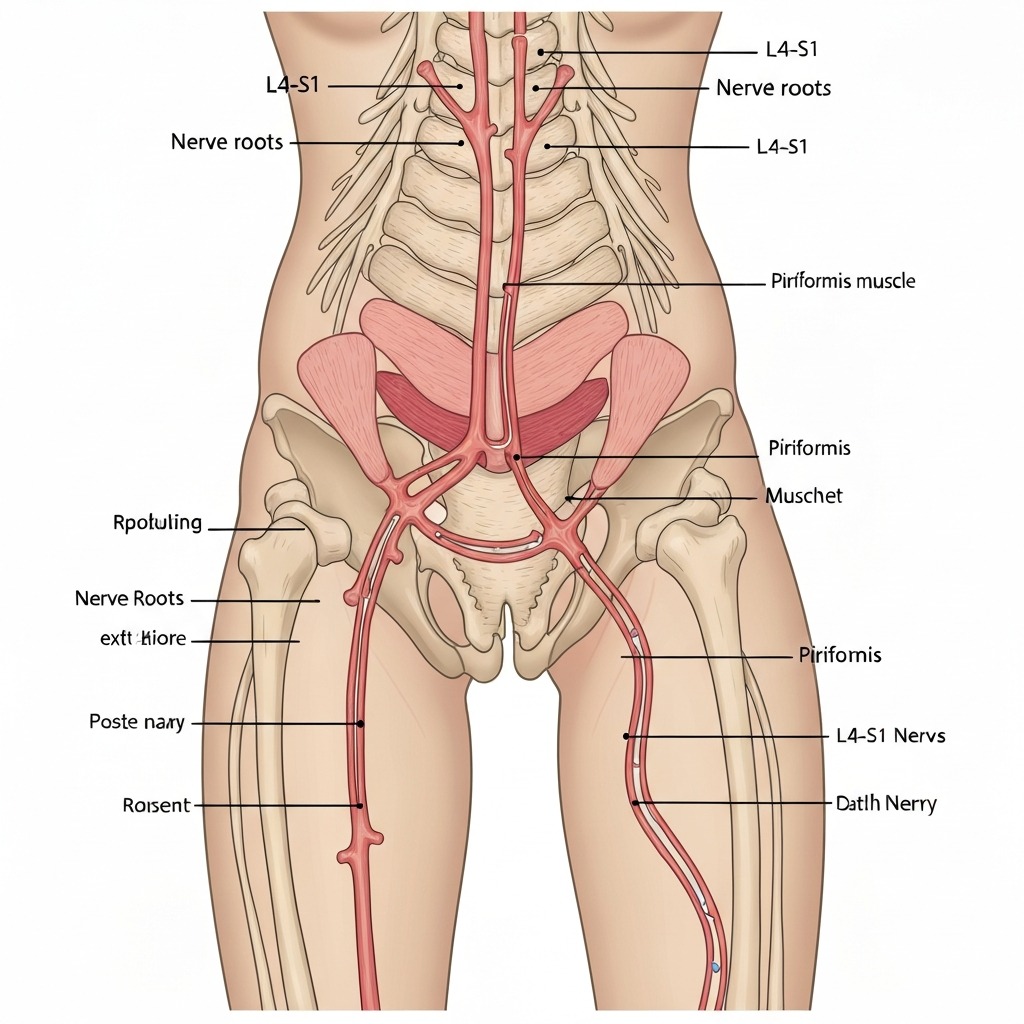
The sciatic nerve originates from the L4, L5, S1, S2, and S3 nerve roots in the lower spine. It passes through the gluteal region (specifically through or around the piriformis muscle) before running down the leg. Sitting affects the sciatic nerve in two main ways:
1. Lumbar Disc Pressure
When you sit in a slumped posture — hips lower than knees, lower back rounded — intradiscal pressure at L4-L5 increases by approximately 40% versus standing. This increased pressure can push a bulging disc toward the nerve roots, triggering or worsening sciatica.
Chairs that encourage posterior pelvic tilt (bucket-shaped seats, too-soft foam) drive this mechanism.
2. Piriformis Compression
The piriformis muscle sits beneath the gluteal muscles. When seated, the weight of the pelvis and trunk presses down on the piriformis. In approximately 17% of people, the sciatic nerve passes directly through the piriformis rather than beneath it — making these individuals particularly sensitive to sitting pressure.
Even in people with normal anatomy, sustained compression of the piriformis causes muscle tightening that can irritate the sciatic nerve.
Chairs with hard, flat seat surfaces and insufficient cushioning increase this compression significantly.
The Sitting-Pain Loop
Poor chairs create a pain loop: the chair causes poor posture → poor posture increases disc and nerve pressure → pain causes muscle guarding → muscle guarding causes more tension on sciatic pathway → sitting becomes more painful → compensatory postures develop → they cause further joint loading.
Breaking this loop requires addressing the chair, the posture habits, and in some cases the underlying spinal or muscular condition.
What to Look for in a Chair for Sciatica
Adjustable Lumbar Support (Non-Negotiable)
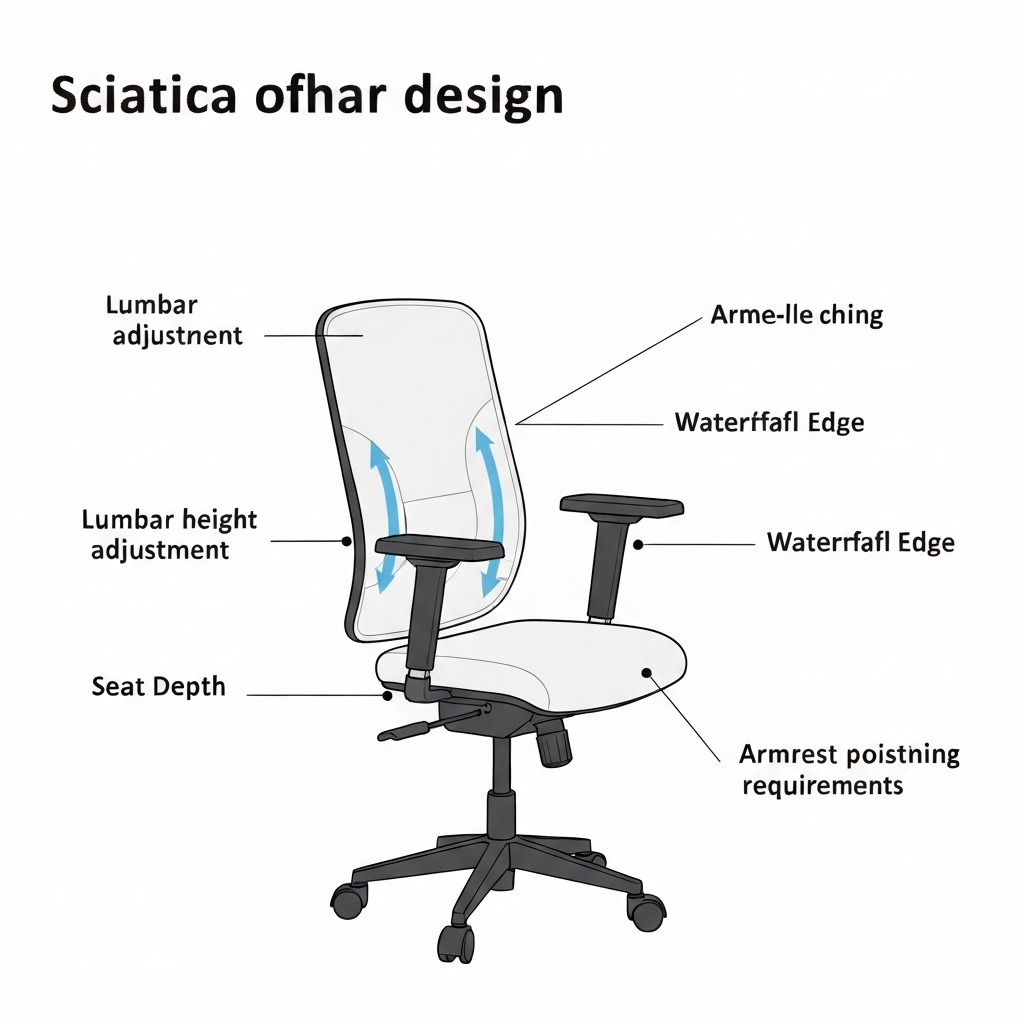
Lumbar support must be vertically adjustable to position at the L3-L5 level — typically 5–7 inches above the seat surface for most adults. Fixed lumbar support is better than none but won't be in the right position for everyone.
Look for:
- Height adjustment of at least 3–4 inches
- Depth adjustment (how far forward the support presses)
- Firmness adjustment if available (softer for acute flare-ups, firmer for maintenance)
Seat Depth Adjustment
Your thighs should be fully supported to within 2–3 inches of your knee, with no pressure behind the knee. If the seat is too deep, you'll either be pushed forward (losing lumbar support) or have pressure cutting into the back of your thigh (which restricts blood flow and increases sciatic tension).
Look for at least 2–3 inches of seat depth adjustment range.
Seat Edge Design
The seat edge should be contoured (waterfall or "waterfall cascade") so it curves downward rather than pressing into the thighs. A sharp or horizontal front edge creates a pressure point that can refer down the leg in sciatica sufferers.
Seat Cushion Firmness
Both extremes are problematic for sciatica:
- Too hard: Creates high-pressure points over the ischial tuberosities and piriformis
- Too soft: Allows excessive sinking, causing the pelvis to tilt posteriorly
Optimal: Medium-firm foam or mesh that supports the pelvis level (not allowing sinking more than 2–3cm under body weight) while distributing pressure.
For more on how office chair choice fits into a broader ergonomic seating for sciatica strategy, see the ergonomic seating guide.
Top 5 Best Office Chairs for Sciatica (2026)
How to Adjust Any Chair for Sciatica Relief
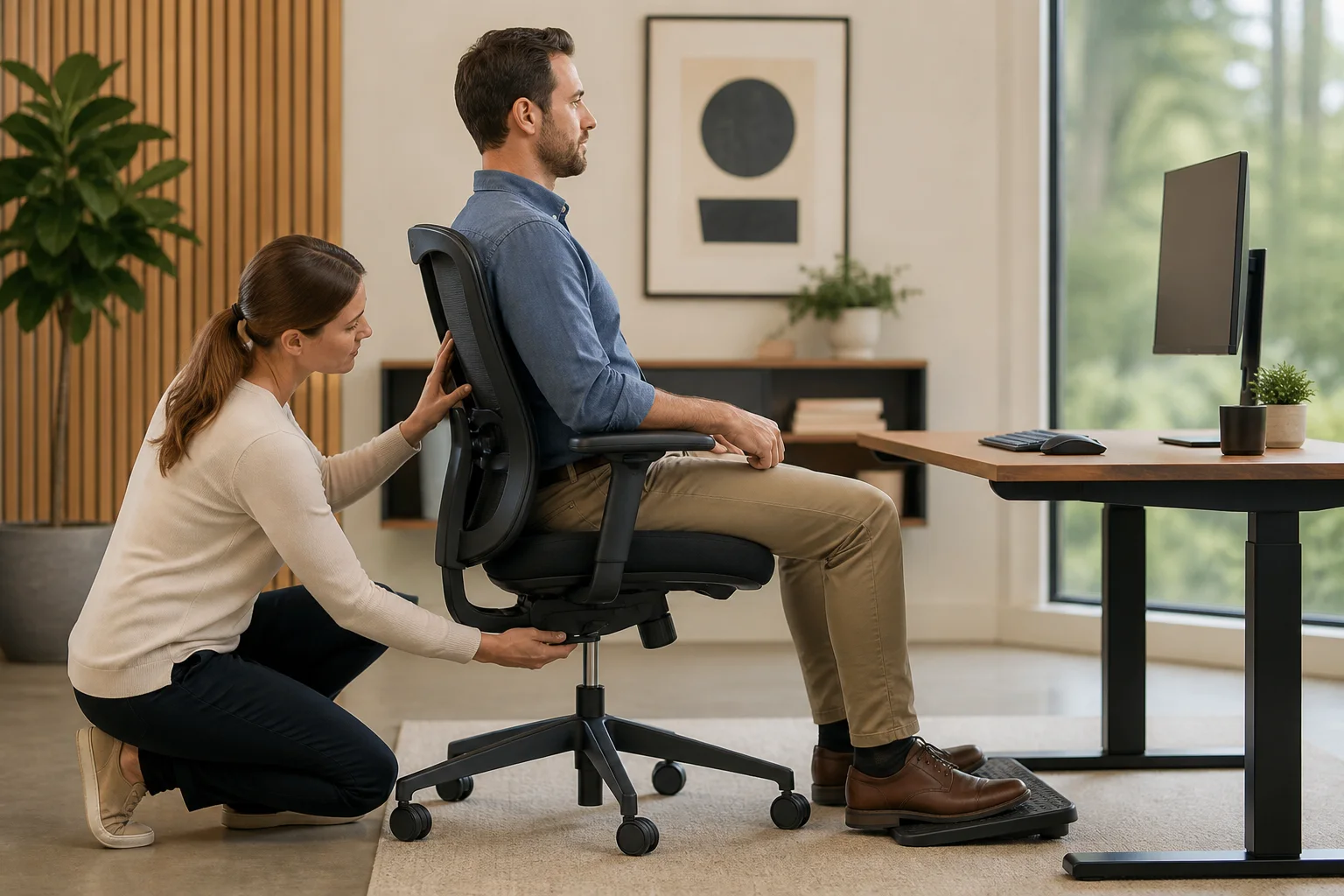
Even a good chair won't help if adjusted incorrectly. Follow this sequence:
Step 1: Set Seat Height First
Sit with feet flat on the floor. Thighs should be horizontal or very slightly downsloping. Hips should be at 90–100 degrees. If your feet don't reach the floor at correct hip height, use a footrest.
Step 2: Set Seat Depth
Slide forward or back so there is a 2–3 finger gap between the front edge of the seat and the back of your knee. If seat depth is fixed and too deep, a lumbar support roll can help push you forward.
Step 3: Position Lumbar Support
Adjust height until the firmest point of the lumbar support contacts your spine at the small of your back (roughly 5–7 inches above the seat surface). You should feel gentle pressure inward — not pain.
Step 4: Set Armrests
Arms should rest with elbows at 90 degrees when sitting in your working position. Armrests that are too high cause shoulder elevation; too low causes reaching or leaning.
Step 5: Use Movement Breaks
A perfectly adjusted chair still needs you to stand every 25–30 minutes. Set a reminder. Sciatica is worsened by static loading — even good posture held for too long creates issues.
For more guidance, see our full articles on sciatica exercises to do at your desk, best sleeping positions for sciatica, and does walking help sciatica.
Frequently Asked Questions
What office chair is best for sciatica? Top choices: Herman Miller Aeron, Steelcase Leap V2, Branch Ergonomic. Key requirements: adjustable lumbar at L3-L5 height, waterfall seat edge, adjustable seat depth, medium-firm seat cushion.
Can an office chair cause sciatica? Yes. Chairs that encourage slumped posture, compress the piriformis, or have inadequate lumbar support are significant sciatica risk factors in desk workers.
How should I sit with sciatica? Hips level with or slightly above knees, spine in neutral S-curve, feet flat, weight distributed evenly. Avoid crossing legs and wallet-in-back-pocket sitting.
Is it better to sit or stand with sciatica? Movement variety is best. Alternate every 20–30 minutes. If forced to choose, standing beats prolonged sitting for acute flares.
Sources & Methodology
- Nachemson AL (1992). Lumbar intradiscal pressure. Orthopaedic Clinics of North America.
- Anderson GBJ (1999). Epidemiological features of chronic low-back pain. The Lancet, 354(9178).
- Hartvigsen J et al. (2018). What low back pain is and why we need to pay attention. The Lancet, 391(10137).
- van Niekerk SM et al. (2012). Workplace interventions for neck pain in workers. Cochrane Database.
- Occupational Safety and Health Administration (OSHA). Computer Workstations eTool — Chair Requirements.
- Herman Miller Ergonomics Research. (2020). PostureFit SL lumbar support clinical data summary.
Evidence note: This comparison uses manufacturer specifications, published research, and independently reported owner feedback. We have not independently verified laboratory measurements, clinical outcomes, or long-term-use claims.
Budget Options Under current cost varies for Sciatica
Premium ergonomic chairs (Herman Miller, Steelcase) are excellent but cost current cost varies. For sciatica sufferers on a tighter budget, several options deliver meaningful ergonomic features at under current cost varies:
What You Can Expect Under current cost varies
At this price point, you can find:
- Adjustable lumbar support (height, though often not depth)
- Some seat depth adjustment
- Adjustable armrests (height, sometimes width)
- Basic tilt mechanism
What you typically sacrifice:
- Dynamic lumbar that moves with you (found in Leap V2)
- Premium mesh that maintains airflow under pressure
- Extensive customisation for different body types
- Long-term durability (expect 3–5 years vs 10+ for premium)
Recommended Budget Picks
SIHOO M57 (~current cost varies): Our top budget pick. Offers 3-way lumbar adjustment (height, depth, and firmness toggle), waterfall seat edge, and adjustable armrests. Build quality is acceptable for its price point; the mesh breathes reasonably well. Some users find the lumbar padding slightly firmer than ideal for acute sciatica — if in a flare-up, add a thin gel pad.
FlexiSpot BackSupport BS13 (~current cost varies): Slightly more expensive but adds a 4D armrest system (height, width, depth, pivot) that is difficult to find at this price. The lumbar support is not as adjustable as the SIHOO but the seat cushion quality is higher — thicker foam that holds its shape better over 12+ months.
Office Star ProGrid (~current cost varies): A mesh back chair that offers good airflow (important for all-day use, as heat buildup increases muscle tension). Lumbar support is fixed height, which is the main limitation. Use a separate lumbar pillow to position correctly.
The Case for a Certified Refurbished Premium Chair
One option worth considering at the current cost varies range: certified refurbished Herman Miller Aeron or Steelcase Leap chairs. These sell for current cost varies from authorized refurbishers and retain the full ergonomic adjustability of new models. The main risk is foam/mesh condition — ask specifically about seat cushion condition before buying.
When to Upgrade Beyond the Chair
A great office chair is necessary but not sufficient if you have established sciatica. Consider adding:
Sit-Stand Desk
Alternating between sitting and standing every 30 minutes is the single most evidence-backed intervention for desk-related sciatica. A sit-stand desk (or a desk converter) enables this without leaving your workstation.
Anti-Fatigue Mat
When standing, an anti-fatigue mat reduces the compressive forces that standing on hard floors creates. Particularly important for people with disc-origin sciatica who find that both prolonged sitting and prolonged standing aggravate symptoms.
Seat Cushion Addition
Even with an excellent ergonomic chair, a sciatica seat cushion with a coccyx cut-out can provide additional pressure relief, especially during acute flare-up periods. Gel-foam hybrid cushions maintain their supportive properties better than pure memory foam under sustained compression.
Physiotherapy
If your sciatica has not responded to ergonomic changes within 6–8 weeks, you likely need professional assessment. A physiotherapist can identify whether your sciatica is disc-origin (requiring different treatment than piriformis syndrome) and provide targeted exercises.
Lifestyle Adjustments That Work Alongside Your Chair
Sciatica is influenced by factors outside the office:
Sleep position: Sleeping on your side with a pillow between your knees maintains spinal alignment and reduces overnight sciatic nerve tension. See our guide on best sleeping positions for sciatica.
Walking: Regular walking at moderate pace (30 minutes daily) has strong evidence for sciatica symptom reduction. Walking keeps the intervertebral discs hydrated, reduces inflammatory markers, and strengthens the paraspinal muscles that support the lumbar spine. Read our article on does walking help sciatica for the full evidence review.
Weight management: Each kg of excess body weight increases lumbar disc pressure during sitting. This does not mean you need to be thin to manage sciatica, but weight reduction combined with ergonomic improvements produces better outcomes than either alone.
Hip flexor stretching: Tight hip flexors (common in desk workers) create anterior pelvic tilt and increase lumbar lordosis — both of which load the L4-S1 nerve roots. Daily hip flexor stretches (kneeling lunge position, 30 seconds each side) are recommended by most physiotherapists for desk workers with sciatica.
Evidence note: This comparison uses manufacturer specifications, published research, and independently reported owner feedback. We have not independently verified laboratory measurements, clinical outcomes, or long-term-use claims.
Advanced Chair Features Worth Paying For
Once you've established the basics (lumbar, seat depth, armrests), these advanced features add measurable value for sciatica sufferers who spend 6+ hours per day seated:
Dynamic Lumbar Support
The Steelcase Leap's LiveBack technology flexes with your spine as you move — the lumbar support tracks your lower back movement rather than staying fixed. This prevents the subtle muscle tension that builds when static lumbar support resists your natural movement patterns.
For sciatica sufferers who find themselves constantly readjusting their position (a common compensatory behaviour), dynamic lumbar support can reduce that fidgeting by working with your movement rather than against it.
Seat Angle Adjustment
Some chairs allow the seat pan to tilt forward slightly (1–5 degrees). A slight forward tilt opens the hip angle beyond 90 degrees, reduces posterior pelvic tilt, and naturally promotes lumbar lordosis — the beneficial inward curve that keeps disc pressure low.
This is particularly helpful for people with tight hip flexors (common in sciatica patients) who can't maintain neutral pelvis in a flat seat without straining.
Tension Control on Tilt Mechanism
Higher-quality chairs allow you to adjust how much resistance the backrest provides when you recline. For sciatica, moderate resistance (enough to support you when leaning slightly back without tipping) enables postural variety — brief moments of slight recline that reduce disc pressure — without losing controlled support.
Conclusion: The Right Chair Won't Cure Sciatica, But the Wrong One Makes It Worse
No office chair will resolve established sciatica on its own. But the wrong chair — one that forces posterior pelvic tilt, compresses the piriformis, and provides no lumbar support — can turn mild, manageable sciatica into a chronic condition.
The chairs recommended here provide the postural foundation that allows your spine to sit in a low-load position. Combined with movement breaks, appropriate exercises, and professional care when needed, they contribute meaningfully to sciatica management.
If your sciatica is severe, worsening, or accompanied by leg weakness or bladder/bowel changes, seek medical evaluation immediately — these symptoms require investigation beyond ergonomic management.
For a complete picture of managing sciatica, also read our guides on how long sciatica lasts and sciatica exercises that can be done alongside your ergonomic setup improvements.